Back to How to Sign Up
How To2 min read

Steps if you have no bond investments but have a Metrobank Online Account 

Take the next leap forward towards financial growth by accessing market updates, expert advice, and a secure investment platform.

September 9, 2025
byMetrobank
Share this article:
You can now be a better investor who enjoys the following benefits if you are a Wealth Manager client:
  • Everything in one place: View and manage your portfolio anytime, online.

  • Easy transactions: Monitor prices and buy or sell government securities in just a few steps.

  • Expert insights: Get financial advice, investment ideas, and analysis from our team of market experts by accessing exclusive content on Wealth Insights.

Just follow these simple steps:

  • 1

    Reach out to an Investment Specialist or visit a Metrobank branch to start investing.


    Find the nearest Metrobank branch by copying this on your browser: https://www.metrobank.com.ph/branch-schedule-atm-cam-locator


  • 2

    After you have placed your investment, log in to your account through the Metrobank Online site or the Metrobank App.

     

  • 3

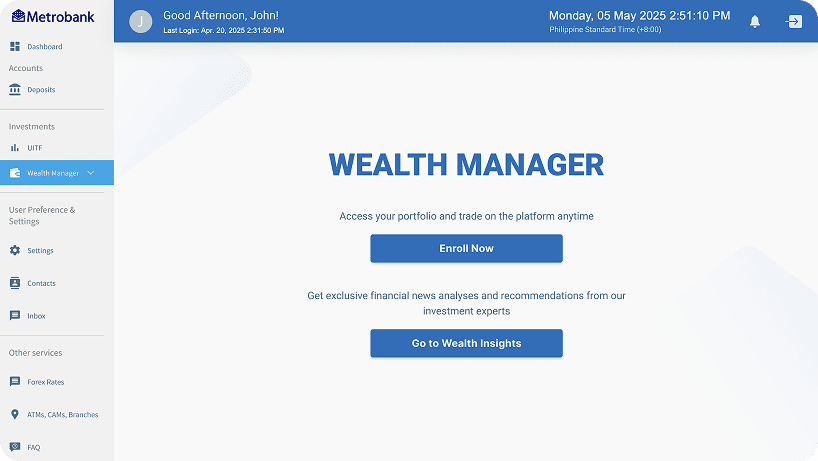
    Go to the “Wealth Manager” section and click “Enroll Now.


  • 4

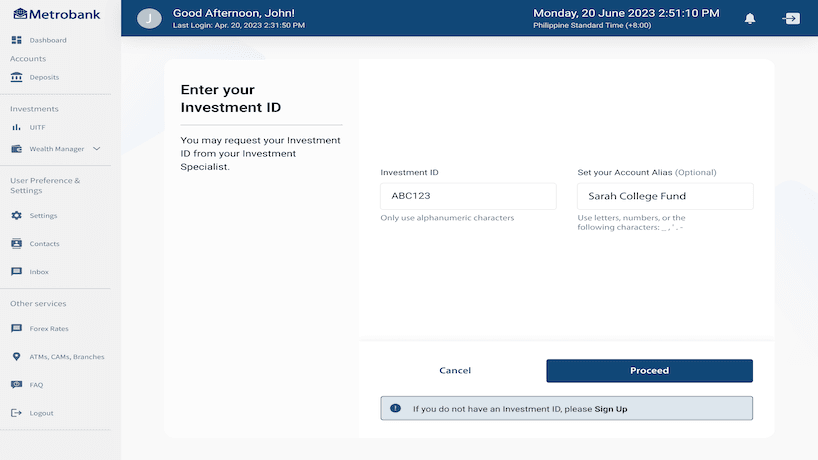
    After clicking Proceed, you can now Sign Up.
     

  • 5

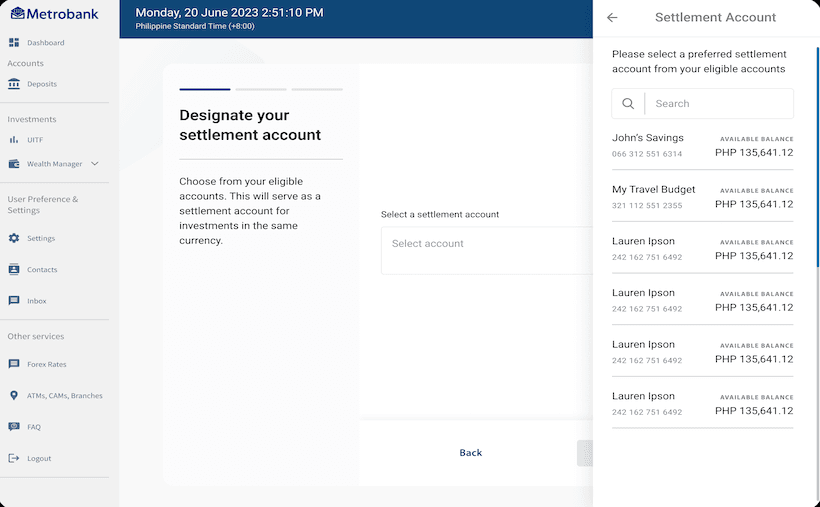
    Designate your settlement account.


  • 6

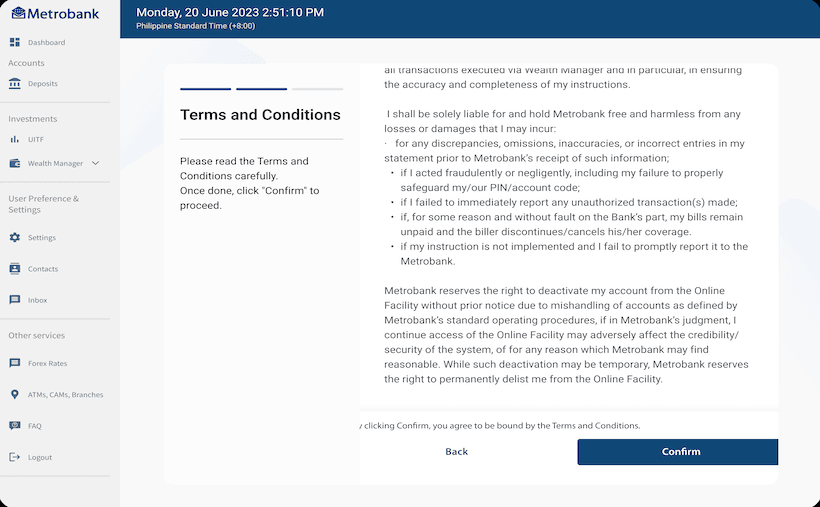
    Read and accept the Terms and Conditions.
     

  • 7

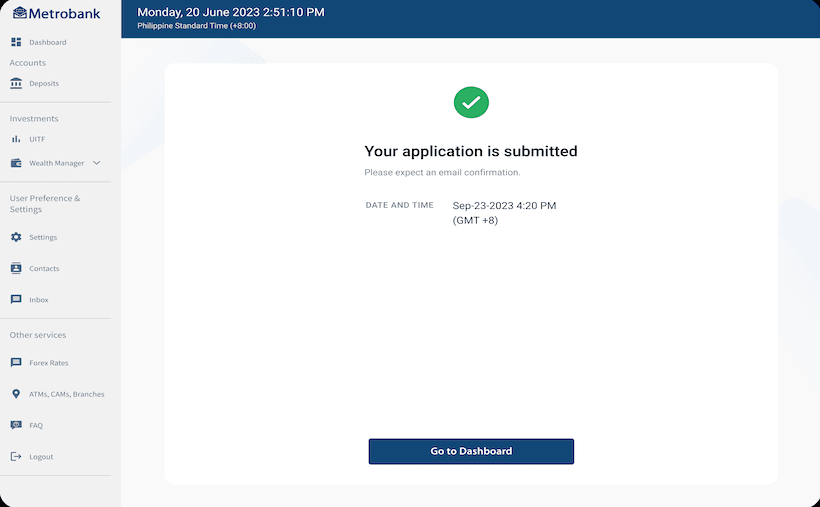
    Your application has been submitted. Check your email within 24 hours (excluding weekends and holidays) to confirm the status of your application."